My Failed Attempt to Build a Dictation Gadget
General ·I’ve been playing around with my app Dictant and wanted to build a mini gadget so I could walk away from my computer and dictate stuff. And have it inserted wherever I need it. Burned through a ton of tokens and learned a few things:
- Everyone who works on embedded device development, writes firmware for them, and deals with the Bluetooth stack is basically a god. I can’t imagine how anyone did this without AI.
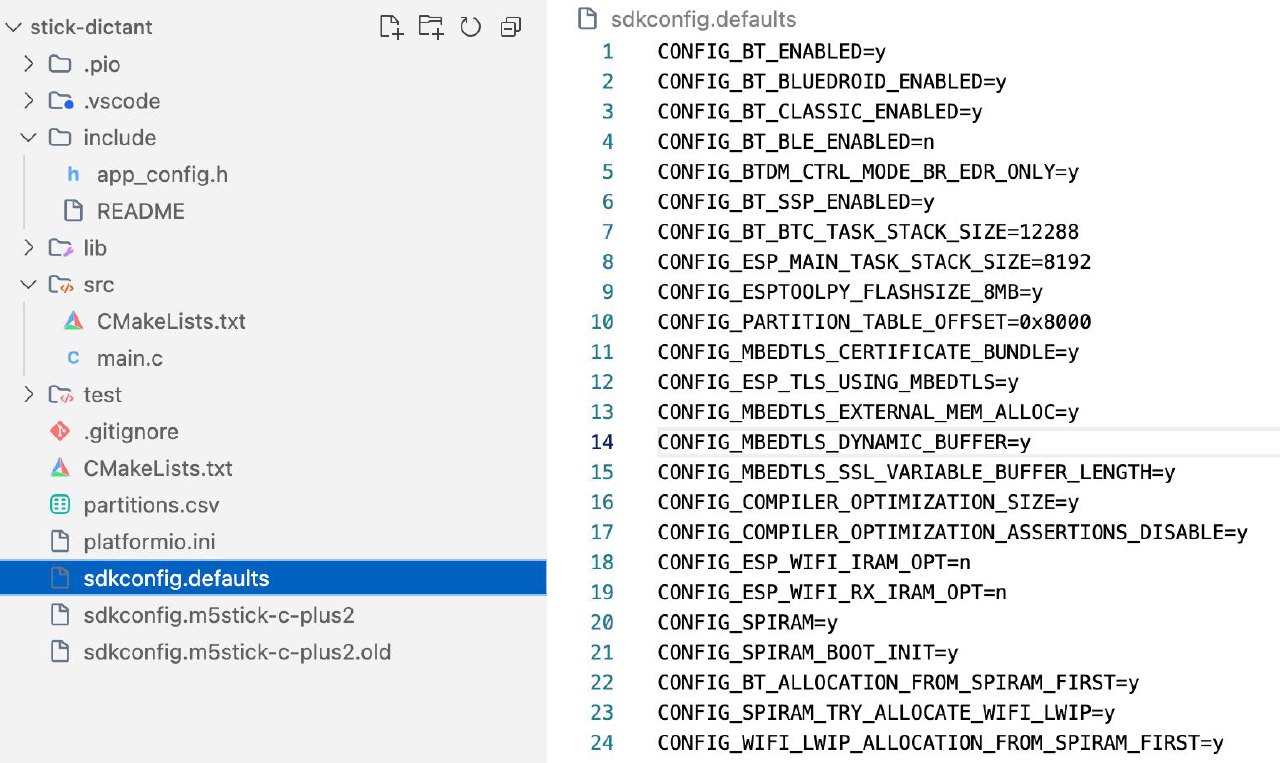
Just to connect a ready-made ESP dev board as a Bluetooth HID device to my computer, I had to create so many configuration files, fill in so many parameters — it’s insane!
Here’s a screenshot. There are like a dozen of these files. I have no idea what any of them do. I can’t imagine how anyone could fit all this in their head.
-
The M5 StickC PLUS2 is a neat little thing, but it’s completely unsuitable for this task. I couldn’t even fully get it running as a Bluetooth headset, and then found out it only supports super low quality audio, so I basically said screw it to using it as a Bluetooth mic.
-
Next I thought, maybe I can make it act as a keyboard. I configured it to upload recordings via WiFi to OpenAI, extract and transcribe the text, and then type it out as a keyboard.
Experienced folks already know where I messed up.
My whole idea of mixed Cyrillic and Latin input, the way Whisper does it, crashed into the reality of having to constantly switch input languages. You can’t just inject random text by pretending to be a keyboard. You can only send key codes, and the system converts those to text. So it doesn’t work the way I wanted.
Next steps:
I’ll have to embed the Bluetooth stack directly into Dictant. It’ll handle Bluetooth, receive text data from the device, and then the app can insert it into the input field. Think that’ll work?